# DO NOT EDIT! This file was auto-generated by crates/build/re_types_builder/src/codegen/python/mod.rs
# Based on "crates/store/re_sdk_types/definitions/rerun/blueprint/views/tensor.fbs".
from __future__ import annotations
from typing import TYPE_CHECKING
__all__ = ["TensorView"]
from .. import archetypes as blueprint_archetypes, components as blueprint_components
from ..api import View, ViewContentsLike, VisualizerLike
if TYPE_CHECKING:
from collections.abc import Iterable, Mapping
from ... import datatypes
from ..._baseclasses import (
AsComponents,
DescribedComponentBatch,
)
from ...datatypes import EntityPathLike, Utf8Like
class TensorView(View):
"""
**View**: A view on a tensor of any dimensionality.
⚠️ **This type is _unstable_ and may change significantly in a way that the data won't be backwards compatible.**
Example
-------
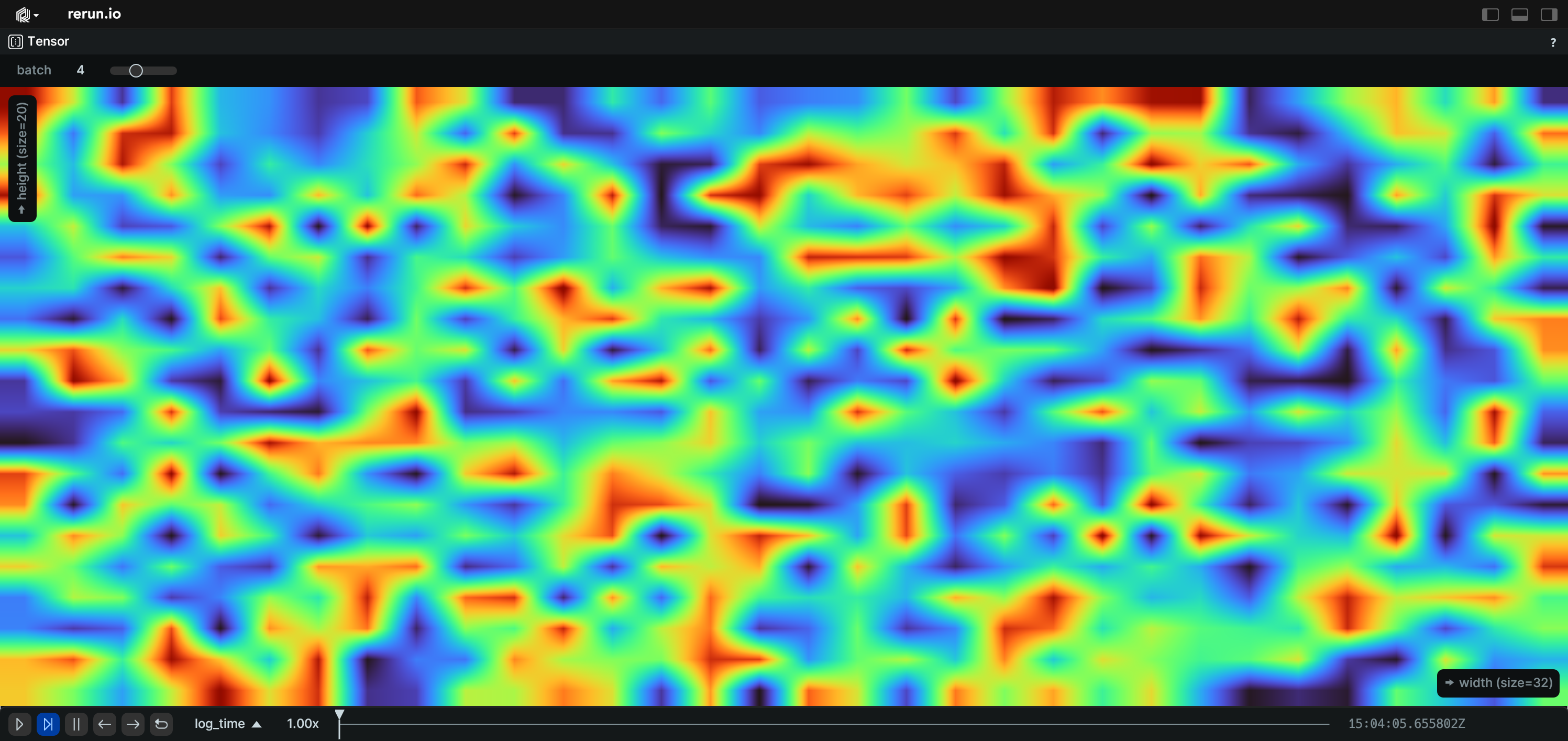
### Use a blueprint to create a TensorView.:
```python
import numpy as np
import rerun as rr
import rerun.blueprint as rrb
rr.init("rerun_example_tensor", spawn=True)
tensor = np.random.randint(0, 256, (32, 240, 320, 3), dtype=np.uint8)
rr.log("tensor", rr.Tensor(tensor, dim_names=("batch", "x", "y", "channel")))
blueprint = rrb.Blueprint(
rrb.TensorView(
origin="tensor",
name="Tensor",
# Explicitly pick which dimensions to show.
slice_selection=rrb.TensorSliceSelection(
# Use the first dimension as width.
width=1,
# Use the second dimension as height and invert it.
height=rr.TensorDimensionSelection(dimension=2, invert=True),
# Set which indices to show for the other dimensions.
indices=[
rr.TensorDimensionIndexSelection(dimension=2, index=4),
rr.TensorDimensionIndexSelection(dimension=3, index=5),
],
# Show a slider for dimension 2 only. If not specified, all
# dimensions in `indices` will have sliders.
slider=[2],
),
# Set a scalar mapping with a custom colormap, gamma and
# magnification filter.
scalar_mapping=rrb.TensorScalarMapping(
colormap="turbo", gamma=1.5, mag_filter="linear"
),
# Fill the view, ignoring aspect ratio.
view_fit="fill",
),
collapse_panels=True,
)
rr.send_blueprint(blueprint)
```
"""
def __init__(
self,
*,
origin: EntityPathLike = "/",
contents: ViewContentsLike = "$origin/**",
name: Utf8Like | None = None,
visible: datatypes.BoolLike | None = None,
defaults: Iterable[AsComponents | Iterable[DescribedComponentBatch]] | None = None,
overrides: Mapping[EntityPathLike, VisualizerLike | Iterable[VisualizerLike]] | None = None,
slice_selection: blueprint_archetypes.TensorSliceSelection | None = None,
scalar_mapping: blueprint_archetypes.TensorScalarMapping | None = None,
view_fit: blueprint_archetypes.TensorViewFit | blueprint_components.ViewFitLike | None = None,
) -> None:
"""
Construct a blueprint for a new TensorView view.
Parameters
----------
origin:
The `EntityPath` to use as the origin of this view.
All other entities will be transformed to be displayed relative to this origin.
contents:
The contents of the view specified as a query expression.
This is either a single expression, or a list of multiple expressions.
See [rerun.blueprint.archetypes.ViewContents][].
name:
The display name of the view.
visible:
Whether this view is visible.
Defaults to true if not specified.
defaults:
List of archetypes or (described) component batches to add to the view.
When an archetype in the view is missing a component included in this set,
the value of default will be used instead of the normal fallback for the visualizer.
Note that an archetype's required components typically don't have any effect.
It is recommended to use the archetype's `from_fields` method instead and only specify the fields that you need.
overrides:
Dictionary of visualizer overrides to apply to the view. The key is the path to the entity where the override
should be applied. The value is a list of visualizers which should be enabled for that entity, or a single visualizer.
Each visualizer can be configured with arbitrary overrides and mappings.
For any entity mentioned in this map, visualizers are no longer added automatically based on the entity's components.
Important note: the path must be a fully qualified entity path starting at the root. The override paths
do not yet support `$origin` relative paths or glob expressions.
This will be addressed in .
slice_selection:
How to select the slice of the tensor to show.
scalar_mapping:
Configures how scalars are mapped to color.
view_fit:
Configures how the selected slice should fit into the view.
"""
properties: dict[str, AsComponents] = {}
if slice_selection is not None:
if not isinstance(slice_selection, blueprint_archetypes.TensorSliceSelection):
slice_selection = blueprint_archetypes.TensorSliceSelection(slice_selection)
properties["TensorSliceSelection"] = slice_selection
if scalar_mapping is not None:
if not isinstance(scalar_mapping, blueprint_archetypes.TensorScalarMapping):
scalar_mapping = blueprint_archetypes.TensorScalarMapping(scalar_mapping)
properties["TensorScalarMapping"] = scalar_mapping
if view_fit is not None:
if not isinstance(view_fit, blueprint_archetypes.TensorViewFit):
view_fit = blueprint_archetypes.TensorViewFit(view_fit)
properties["TensorViewFit"] = view_fit
super().__init__(
class_identifier="Tensor",
origin=origin,
contents=contents,
name=name,
visible=visible,
properties=properties,
defaults=defaults,
overrides=overrides,
)